
01
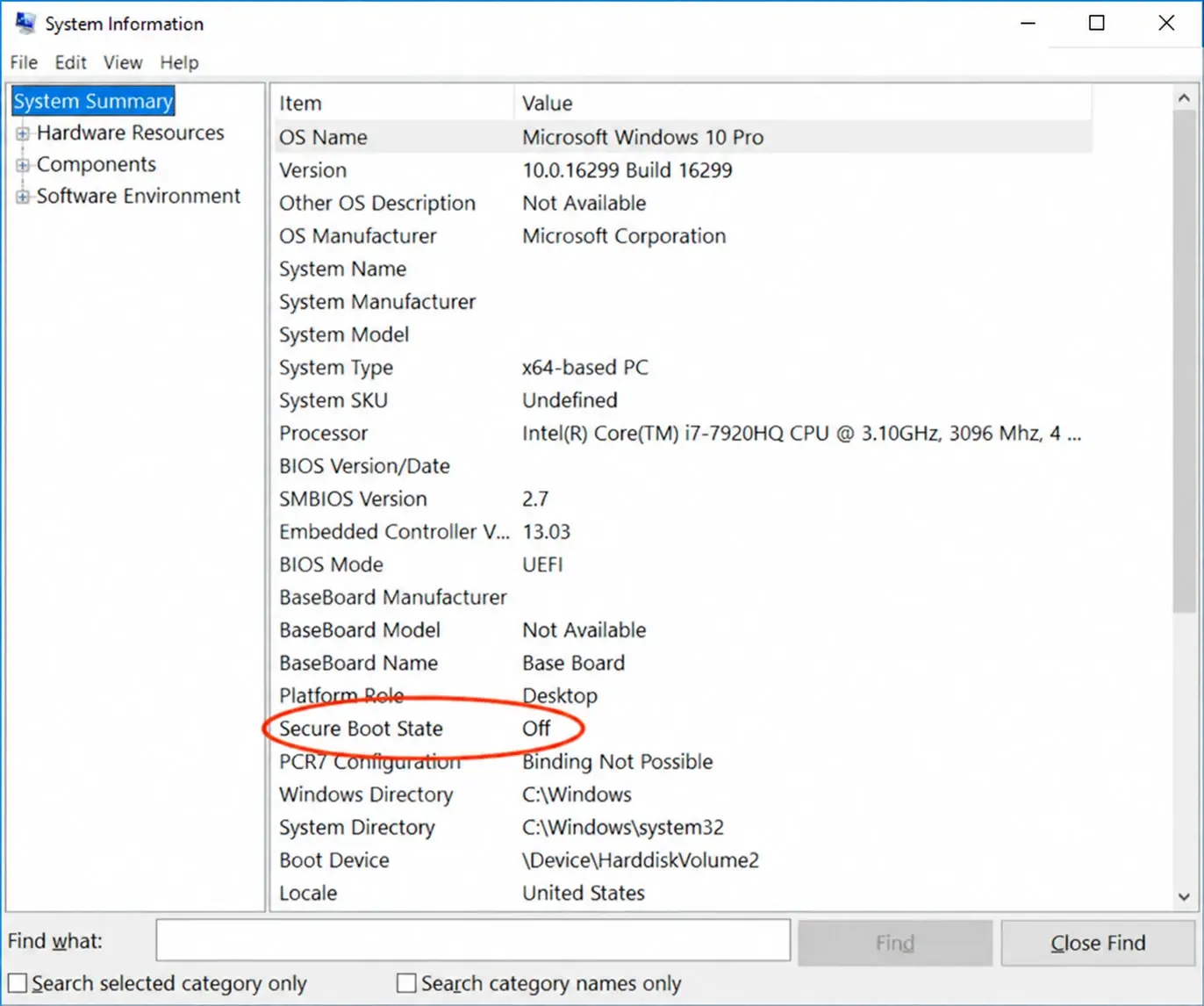
Secure Boot: Disabled
Windows + R, type msinfo32, Enter: Secure Boot State says Off.
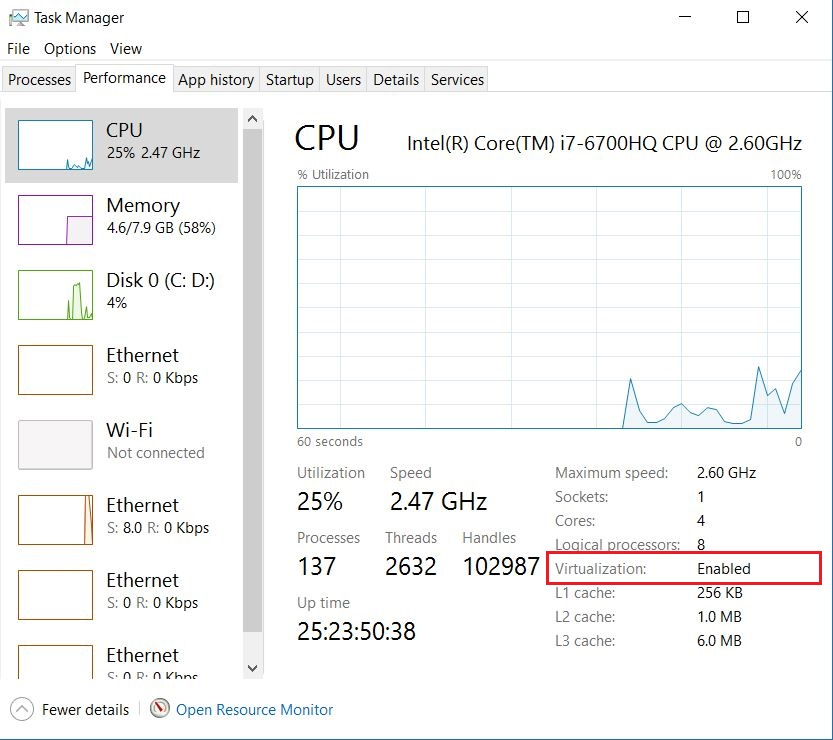
Virtualization: Enabled
Task Manager (Ctrl + Shift + Esc) > Performance > CPU: Virtualization says Enabled.
Intel — Intel Virtualization Technology
AMD — SVM Mode
Open the BIOS: restart your PC and tap Del or F2 as it turns on. Save with F10.
Launch your game, then press OK in the pop up.
Turn on Intel Virtualization Technology (Intel) or SVM Mode (AMD) in your BIOS, as in the BIOS step above. Check it in Task Manager (Ctrl + Shift + Esc) > Performance > CPU: Virtualization must say Enabled.
That is normal. The first Load after every PC restart starts the hypervisor and restarts the PC. Open the loader again as administrator and press Load: it starts the software.
Secure Boot is on, so the key has to be enrolled once: press any key, then Enroll MOK > Continue > Yes > password 1234 > Reboot. If your game does not need Secure Boot, turn it off in the BIOS instead and this screen never shows.
Type 1234 with the number keys of the top row, without Shift and with Caps Lock off. This screen uses an English keyboard layout, even on an AZERTY keyboard.
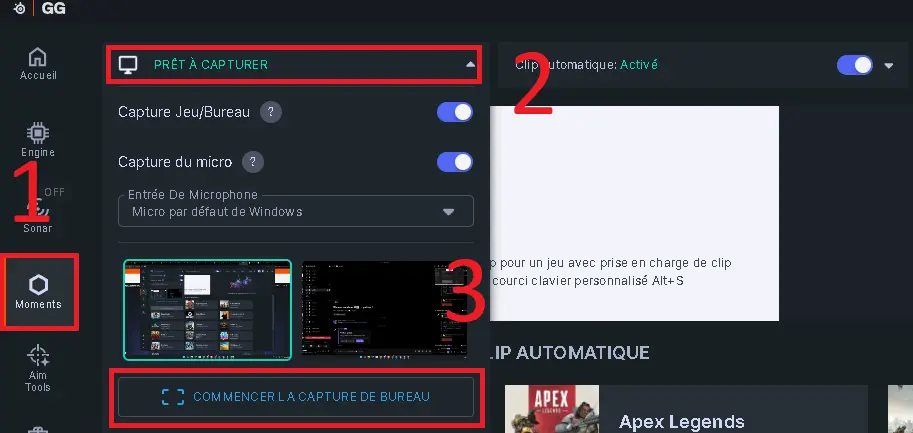
SteelSeries GG is not running as administrator. Exit it from the system tray (right click its icon, then Exit), then open it again with Run as administrator.
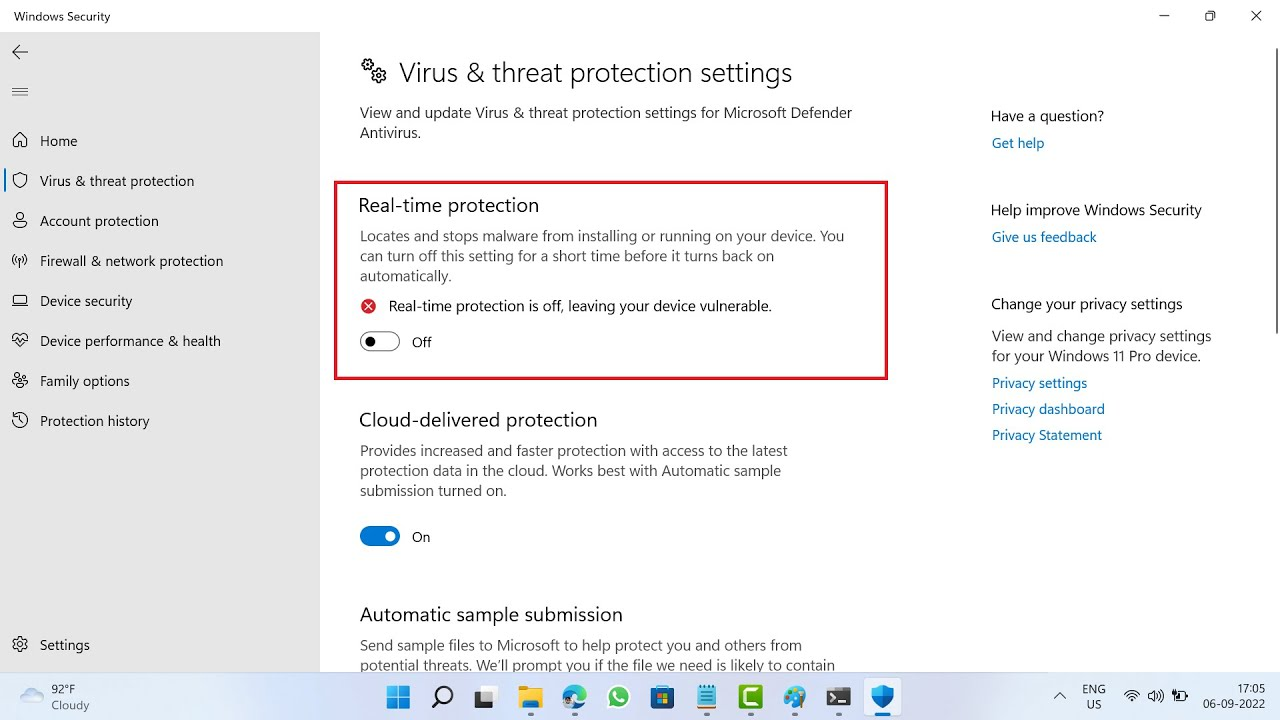
Defender is still on and deleted it. Turn real-time protection off, then download the loader again from the customer panel.
Install the Visual C++ runtimes from the requirements above, then try again.
Open a ticket and a human will walk you through it. Open a ticket on Discord.